How do I submit a new idea

It's always good to search before you submit a new idea.
You can submit your new idea by clicking on "NEW POST" in the top right corner under the search bar.
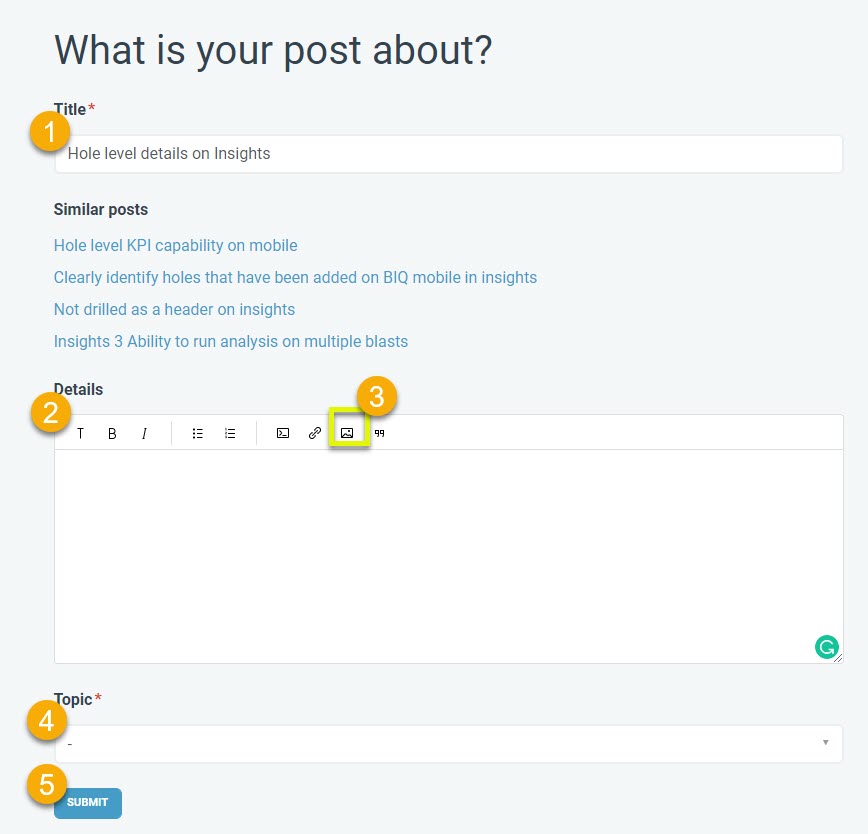
- As soon you start typing in the "Title" A search will show you similar ideas.

- If one of the displayed ideas is the same or similar to what you want to enter, you can select this idea and add your support for it by voting for the idea and/or adding a comment against it to provide further suggestions or support. Inline images can also be added to support your suggestions and comments.

- If a similar idea is not already in the system, you can continue to add your idea.
- add as many details and support with images
1
Comments
Please sign in to leave a comment.